 Trenton H
49d1e773d9
Trenton H
49d1e773d9
Phase 1 -- Eliminate JSON round-trip in document exporter

Replace json.loads(serializers.serialize("json", qs)) with
serializers.serialize("python", qs) to skip the intermediate
JSON string allocation and parse step. Use DjangoJSONEncoder
in check_and_write_json() to handle native Python types
(datetime, Decimal, UUID) the Python serializer returns.

Measured on 200 documents + 200 CustomFieldInstances:
  - Memory delta:  1,410 KiB → 527 KiB  (−63%)
  - Peak memory:   1,500 KiB → 530 KiB  (−65%)
  - Wall time:       0.54s  → 0.36s    (−34%)
  - JSON output: identical (byte-for-byte, 345 KB)

Phase 2 -- Batched QuerySet serialization in document exporter

Add serialize_queryset_batched() helper that uses QuerySet.iterator()
and itertools.islice to stream records in configurable chunks, bounding
peak memory during serialization to batch_size * avg_record_size rather
than loading the entire QuerySet at once.

Replace the single-call serializers.serialize("python", qs) in dump()
with list(chain.from_iterable(serialize_queryset_batched(qs, batch_size))).
Add --batch-size CLI argument (default 500).

Measured on 2,000 documents + 2,000 CustomFieldInstances:
  Phase 1 baseline (full queryset, no iterator):
    Peak: 9,293 KiB  |  Time: 4.33s

  Phase 2 batch=2000 (iterator, 1 batch):
    Peak: 7,716 KiB  |  Time: 4.20s  (−17% peak vs Phase 1)

  Phase 2 batch=500 (iterator, 4 batches -- default):
    Peak: 6,980 KiB  |  Time: 4.28s  (−25% peak vs Phase 1)

  Phase 2 batch=100 (iterator, 20 batches):
    Peak: 6,776 KiB  |  Time: 4.30s  (−27% peak vs Phase 1)

Peak memory falls as batch_size decreases. Wall time is within noise
(batching overhead negligible). Output is byte-for-byte identical across
all batch sizes and approaches.

The primary gain is that Django's queryset cache is bypassed (iterator()),
preventing the ORM from holding all model instances in memory after fetch.
Smaller batches reduce the per-batch model-instance peak further.





Paperless-ngx
Paperless-ngx is a document management system that transforms your physical documents into a searchable online archive so you can keep, well, less paper.
Paperless-ngx is the official successor to the original Paperless & Paperless-ng projects and is designed to distribute the responsibility of advancing and supporting the project among a team of people. Consider joining us!
Thanks to the generous folks at DigitalOcean, a demo is available at demo.paperless-ngx.com using login demo / demo. Note: demo content is reset frequently and confidential information should not be uploaded.
This project is supported by:

Features
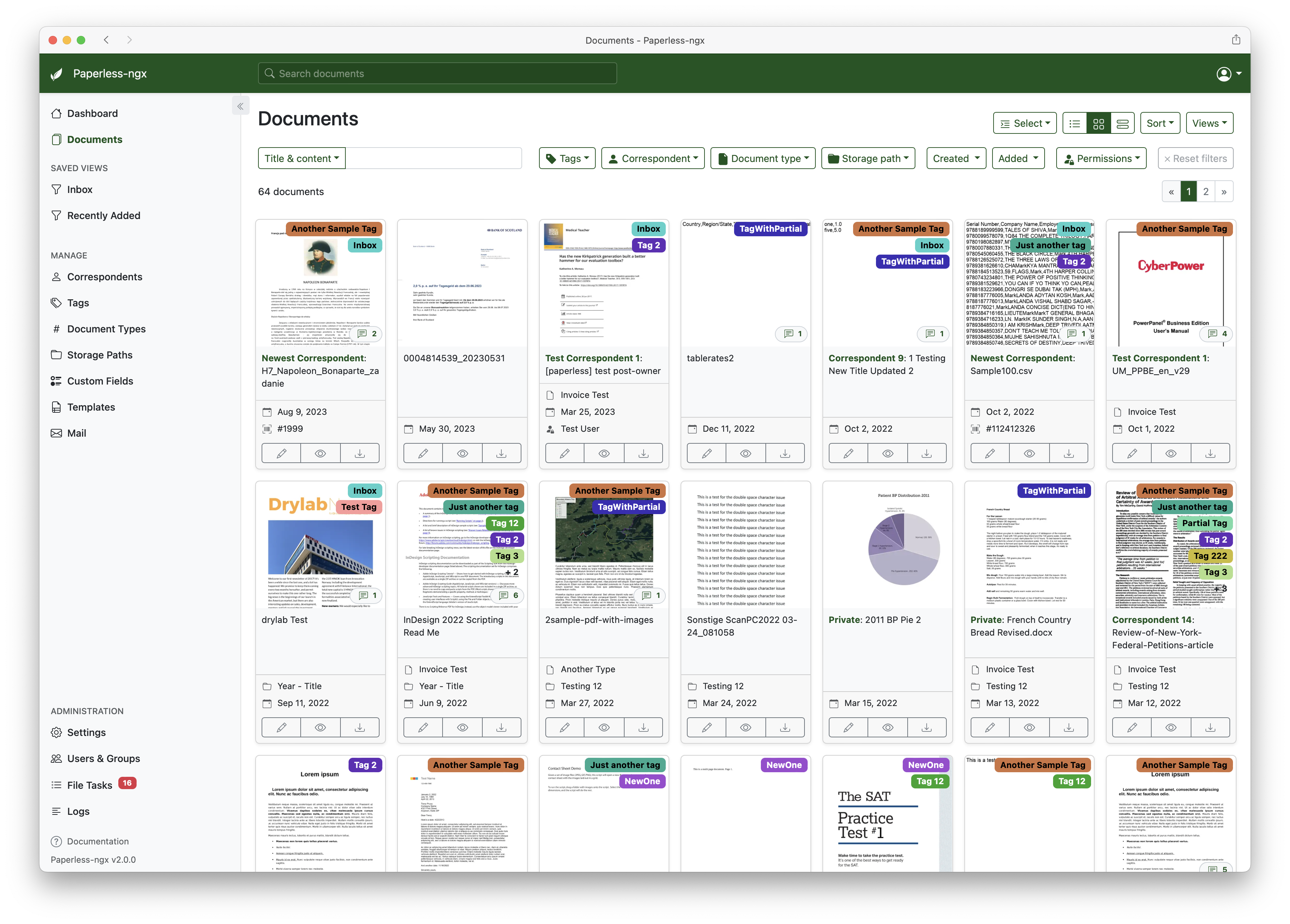
A full list of features and screenshots are available in the documentation.
Getting started
The easiest way to deploy paperless is docker compose. The files in the /docker/compose directory are configured to pull the image from the GitHub container registry.
If you'd like to jump right in, you can configure a docker compose environment with our install script:
bash -c "$(curl -L https://raw.githubusercontent.com/paperless-ngx/paperless-ngx/main/install-paperless-ngx.sh)"
More details and step-by-step guides for alternative installation methods can be found in the documentation.
Migrating from Paperless-ng is easy, just drop in the new docker image! See the documentation on migrating for more details.
Documentation
The documentation for Paperless-ngx is available at https://docs.paperless-ngx.com.
Contributing
If you feel like contributing to the project, please do! Bug fixes, enhancements, visual fixes etc. are always welcome. If you want to implement something big: Please start a discussion about that! The documentation has some basic information on how to get started.
Community Support
People interested in continuing the work on paperless-ngx are encouraged to reach out here on github and in the Matrix Room. If you would like to contribute to the project on an ongoing basis there are multiple teams (frontend, ci/cd, etc) that could use your help so please reach out!
Translation
Paperless-ngx is available in many languages that are coordinated on Crowdin. If you want to help out by translating paperless-ngx into your language, please head over to https://crowdin.com/project/paperless-ngx, and thank you! More details can be found in CONTRIBUTING.md.
Feature Requests
Feature requests can be submitted via GitHub Discussions, you can search for existing ideas, add your own and vote for the ones you care about.
Bugs
For bugs please open an issue or start a discussion if you have questions.
Related Projects
Please see the wiki for a user-maintained list of related projects and software that is compatible with Paperless-ngx.
Important Note
Document scanners are typically used to scan sensitive documents like your social insurance number, tax records, invoices, etc. Paperless-ngx should never be run on an untrusted host because information is stored in clear text without encryption. No guarantees are made regarding security (but we do try!) and you use the app at your own risk. The safest way to run Paperless-ngx is on a local server in your own home with backups in place.