parsedmarc documentation - Open source DMARC report analyzer and visualizer


parsedmarc is a Python module and CLI utility for parsing DMARC reports.
When used with Elasticsearch and Kibana (or Splunk), it works as a self-hosted
open source alternative to commercial DMARC report processing services such
as Agari, Dmarcian, OnDMARC, ProofPoint Email Fraud Defense.
Features
- Parses draft and 1.0 standard aggregate/rua reports
- Parses forensic/failure/ruf reports
- Can parse reports from an inbox over IMAP
- Transparently handles gzip or zip compressed reports
- Consistent data structures
- Simple JSON and/or CSV output
- Optionally email the results
- Optionally send the results to Elasticsearch and/or Splunk, for use with premade dashboards
- Optionally send reports to Apache Kafka
Resources
DMARC guides
- Demystifying DMARC - A complete guide to SPF, DKIM, and DMARC
SPF and DMARC record validation
If you are looking for SPF and DMARC record validation and parsing, check out the sister project, checkdmarc.
Lookalike domains
DMARC protects against domain spoofing, not lookalike domains. for open source lookalike domain monitoring, check out DomainAware.
CLI help
usage: parsedmarc [-h] [-o OUTPUT] [-n NAMESERVERS [NAMESERVERS ...]]
                  [-t TIMEOUT] [-H HOST] [-u USER] [-p PASSWORD]
                  [--imap-port IMAP_PORT] [--imap-no-ssl] [-r REPORTS_FOLDER]
                  [-a ARCHIVE_FOLDER] [-d]
                  [-E [ELASTICSEARCH_HOST [ELASTICSEARCH_HOST ...]]]
                  [--elasticsearch-index-prefix ELASTICSEARCH_INDEX_PREFIX]
                  [--elasticsearch-index-suffix ELASTICSEARCH_INDEX_SUFFIX]
                  [--hec HEC] [--hec-token HEC_TOKEN] [--hec-index HEC_INDEX]
                  [--hec-skip-certificate-verification]
                  [-K [KAFKA_HOSTS [KAFKA_HOSTS ...]]]
                  [--kafka-aggregate-topic KAFKA_AGGREGATE_TOPIC]
                  [--kafka-forensic_topic KAFKA_FORENSIC_TOPIC]
                  [--save-aggregate] [--save-forensic] [-O OUTGOING_HOST]
                  [-U OUTGOING_USER] [-P OUTGOING_PASSWORD]
                  [--outgoing-port OUTGOING_PORT]
                  [--outgoing-ssl OUTGOING_SSL] [-F OUTGOING_FROM]
                  [-T OUTGOING_TO [OUTGOING_TO ...]] [-S OUTGOING_SUBJECT]
                  [-A OUTGOING_ATTACHMENT] [-M OUTGOING_MESSAGE] [-w] [--test]
                  [-s] [--debug] [-v]
                  [file_path [file_path ...]]

  Parses DMARC reports

  positional arguments:
    file_path             one or more paths to aggregate or forensic report
                          files or emails

  optional arguments:
    -h, --help            show this help message and exit
    -o OUTPUT, --output OUTPUT
                          Write output files to the given directory
    -n NAMESERVERS [NAMESERVERS ...], --nameservers NAMESERVERS [NAMESERVERS ...]
                          nameservers to query (Default is Cloudflare's
                          nameservers)
    -t TIMEOUT, --timeout TIMEOUT
                          number of seconds to wait for an answer from DNS
                          (Default: 2.0)
    -H HOST, --host HOST  IMAP hostname or IP address
    -u USER, --user USER  IMAP user
    -p PASSWORD, --password PASSWORD
                          IMAP password
    --imap-port IMAP_PORT
                          IMAP port
    --imap-no-ssl         Do not use SSL/TLS when connecting to IMAP
    -r REPORTS_FOLDER, --reports-folder REPORTS_FOLDER
                          The IMAP folder containing the reports (Default:
                          INBOX)
    -a ARCHIVE_FOLDER, --archive-folder ARCHIVE_FOLDER
                          Specifies the IMAP folder to move messages to after
                          processing them (Default: Archive)
    -d, --delete          Delete the reports after processing them
    -E [ELASTICSEARCH_HOST [ELASTICSEARCH_HOST ...]], --elasticsearch-host [ELASTICSEARCH_HOST [ELASTICSEARCH_HOST ...]]
                          One or more Elasticsearch hostnames or URLs to use
                          (e.g. localhost:9200)
    --elasticsearch-index-prefix ELASTICSEARCH_INDEX_PREFIX
                          Prefix to add in front of the dmarc_aggregate and
                          dmarc_forensic Elasticsearch index names, joined by _
    --elasticsearch-index-suffix ELASTICSEARCH_INDEX_SUFFIX
                          Append this suffix to the dmarc_aggregate and
                          dmarc_forensic Elasticsearch index names, joined by _
    --hec HEC             URL to a Splunk HTTP Event Collector (HEC)
    --hec-token HEC_TOKEN
                          The authorization token for a Splunk HTTP Event
                          Collector (HEC)
    --hec-index HEC_INDEX
                          The index to use when sending events to the Splunk
                          HTTP Event Collector (HEC)
    --hec-skip-certificate-verification
                          Skip certificate verification for Splunk HEC
    -K [KAFKA_HOSTS [KAFKA_HOSTS ...]], --kafka-hosts [KAFKA_HOSTS [KAFKA_HOSTS ...]]
                          A list of one or more Kafka hostnames or URLs
    --kafka-aggregate-topic KAFKA_AGGREGATE_TOPIC
                          The Kafka topic to publish aggregate reports to
                          (Default: dmarc_aggregate)
    --kafka-forensic_topic KAFKA_FORENSIC_TOPIC
                          The Kafka topic to publish forensic reports to
                          (Default: dmarc_forensic)
    --save-aggregate      Save aggregate reports to search indexes
    --save-forensic       Save forensic reports to search indexes
    -O OUTGOING_HOST, --outgoing-host OUTGOING_HOST
                          Email the results using this host
    -U OUTGOING_USER, --outgoing-user OUTGOING_USER
                          Email the results using this user
    -P OUTGOING_PASSWORD, --outgoing-password OUTGOING_PASSWORD
                          Email the results using this password
    --outgoing-port OUTGOING_PORT
                          Email the results using this port
    --outgoing-ssl OUTGOING_SSL
                          Use SSL/TLS instead of STARTTLS (more secure, and
                          required by some providers, like Gmail)
    -F OUTGOING_FROM, --outgoing-from OUTGOING_FROM
                          Email the results using this from address
    -T OUTGOING_TO [OUTGOING_TO ...], --outgoing-to OUTGOING_TO [OUTGOING_TO ...]
                          Email the results to these addresses
    -S OUTGOING_SUBJECT, --outgoing-subject OUTGOING_SUBJECT
                          Email the results using this subject
    -A OUTGOING_ATTACHMENT, --outgoing-attachment OUTGOING_ATTACHMENT
                          Email the results using this filename
    -M OUTGOING_MESSAGE, --outgoing-message OUTGOING_MESSAGE
                          Email the results using this message
    -w, --watch           Use an IMAP IDLE connection to process reports as they
                          arrive in the inbox
    --test                Do not move or delete IMAP messages
    -s, --silent          Only print errors and warnings
    --debug               Print debugging information
    -v, --version         show program's version number and exit
Sample aggregate report output
Here are the results from parsing the example report from the dmarc.org wiki. It’s actually an older draft of the the 1.0 report schema standardized in RFC 7480 Appendix C. This draft schema is still in wide use.
parsedmarc produces consistent, normalized output, regardless of the report
schema.
JSON
{
  "xml_schema": "draft",
  "report_metadata": {
    "org_name": "acme.com",
    "org_email": "noreply-dmarc-support@acme.com",
    "org_extra_contact_info": "http://acme.com/dmarc/support",
    "report_id": "9391651994964116463",
    "begin_date": "2012-04-27 20:00:00",
    "end_date": "2012-04-28 19:59:59",
    "errors": []
  },
  "policy_published": {
    "domain": "example.com",
    "adkim": "r",
    "aspf": "r",
    "p": "none",
    "sp": "none",
    "pct": "100",
    "fo": "0"
  },
  "records": [
    {
      "source": {
        "ip_address": "72.150.241.94",
        "country": "US",
        "reverse_dns": "adsl-72-150-241-94.shv.bellsouth.net",
        "base_domain": "bellsouth.net"
      },
      "count": 2,
      "alignment": {
        "spf": true,
        "dkim": false,
        "dmarc": true
      },
      "policy_evaluated": {
        "disposition": "none",
        "dkim": "fail",
        "spf": "pass",
        "policy_override_reasons": []
      },
      "identifiers": {
        "header_from": "example.com",
        "envelope_from": "example.com",
        "envelope_to": null
      },
      "auth_results": {
        "dkim": [
          {
            "domain": "example.com",
            "selector": "none",
            "result": "fail"
          }
        ],
        "spf": [
          {
            "domain": "example.com",
            "scope": "mfrom",
            "result": "pass"
          }
        ]
      }
    }
  ]
}
CSV
xml_schema,org_name,org_email,org_extra_contact_info,report_id,begin_date,end_date,errors,domain,adkim,aspf,p,sp,pct,fo,source_ip_address,source_country,source_reverse_dns,source_base_domain,count,disposition,dkim_alignment,spf_alignment,policy_override_reasons,policy_override_comments,envelope_from,header_from,envelope_to,dkim_domains,dkim_selectors,dkim_results,spf_domains,spf_scopes,spf_results
draft,acme.com,noreply-dmarc-support@acme.com,http://acme.com/dmarc/support,9391651994964116463,2012-04-27 20:00:00,2012-04-28 19:59:59,,example.com,r,r,none,none,100,0,72.150.241.94,US,adsl-72-150-241-94.shv.bellsouth.net,bellsouth.net,2,none,fail,pass,,,example.com,example.com,,example.com,none,fail,example.com,mfrom,pass
Sample forensic report output
Thanks to Github user xennn for the anonymized forensic report email sample.
JSON
{
  "feedback_type": "auth-failure",
  "user_agent": "Lua/1.0",
  "version": "1.0",
  "original_mail_from": "sharepoint@domain.de",
  "original_rcpt_to": "peter.pan@domain.de",
  "arrival_date": "Mon, 01 Oct 2018 11:20:27 +0200",
  "message_id": "<38.E7.30937.BD6E1BB5@ mailrelay.de>",
  "authentication_results": "dmarc=fail (p=none, dis=none) header.from=domain.de",
  "delivery_result": "smg-policy-action",
  "auth_failure": [
    "dmarc"
  ],
  "reported_domain": "domain.de",
  "arrival_date_utc": "2018-10-01 09:20:27",
  "source": {
    "ip_address": "10.10.10.10",
    "country": null,
    "reverse_dns": null,
    "base_domain": null
  },
  "authentication_mechanisms": [],
  "original_envelope_id": null,
  "dkim_domain": null,
  "sample_headers_only": false,
  "sample": "Content-Type: message/rfc822\nContent-Disposition: inline\nReceived: from Servernameone.domain.local (Servernameone.domain.local [10.10.10.10])\n    by  mailrelay.de (mail.DOMAIN.de) with SMTP id 38.E7.30937.BD6E1BB5; Mon,  1 Oct 2018 11:20:27 +0200 (CEST)\nDate: 01 Oct 2018 11:20:27 +0200\nMessage-ID: <38.E7.30937.BD6E1BB5@ mailrelay.de>\nTo: <peter.pan@domain.de>\nfrom: \"=?utf-8?B?SW50ZXJha3RpdmUgV2V0dGJld2VyYmVyLcOcYmVyc2ljaHQ=?=\" <sharepoint@domain.de>\nSubject: Subject\nMIME-Version: 1.0\nX-Mailer: Microsoft SharePoint Foundation 2010\nContent-Type: text/html; charset=utf-8\nContent-Transfer-Encoding: quoted-printable\n\n\n<html><head><base href=3D'\nwettbewerb' /></head><body><!DOCTYPE HTML PUBLIC \"-//W3C//DTD HTML 3.2//EN\"=\n><HTML><HEAD><META NAME=3D\"Generator\" CONTENT=3D\"MS Exchange Server version=\n 08.01.0240.003\"></html>\n ",
  "parsed_sample": {
    "content-transfer-encoding": "quoted-printable",
    "x-mailer": "Microsoft SharePoint Foundation 2010",
    "message-id": "<38.E7.30937.BD6E1BB5@ mailrelay.de>",
    "body": "<html><head><base href=3D'\nwettbewerb' /></head><body><!DOCTYPE HTML PUBLIC \"-//W3C//DTD HTML 3.2//EN\"=\n><HTML><HEAD><META NAME=3D\"Generator\" CONTENT=3D\"MS Exchange Server version=\n 08.01.0240.003\"></html>",
    "to": [
      {
        "display_name": null,
        "address": "peter.pan@domain.de",
        "local": "peter.pan",
        "domain": "domain.de"
      }
    ],
    "date": "2018-10-01 09:20:27",
    "to_domains": [
      "domain.de"
    ],
    "received": [
      {
        "from": "Servernameone.domain.local Servernameone.domain.local 10.10.10.10",
        "by": "mailrelay.de mail.DOMAIN.de",
        "with": "SMTP id 38.E7.30937.BD6E1BB5",
        "date": "Mon, 1 Oct 2018 11:20:27 +0200 CEST",
        "hop": 1,
        "date_utc": "2018-10-01 09:20:27",
        "delay": 0
      }
    ],
    "content-disposition": "inline",
    "mime-version": "1.0",
    "subject": "Subject",
    "timezone": "+2",
    "from": {
      "display_name": "Interaktive Wettbewerber-Übersicht",
      "address": "sharepoint@domain.de",
      "local": "sharepoint",
      "domain": "domain.de"
    },
    "content-type": "message/rfc822",
    "has_defects": false,
    "headers": {
      "Content-Type": "text/html; charset=utf-8",
      "Content-Disposition": "inline",
      "Received": "from Servernameone.domain.local (Servernameone.domain.local [10.10.10.10])\n    by  mailrelay.de (mail.DOMAIN.de) with SMTP id 38.E7.30937.BD6E1BB5; Mon,  1 Oct 2018 11:20:27 +0200 (CEST)",
      "Date": "01 Oct 2018 11:20:27 +0200",
      "Message-ID": "<38.E7.30937.BD6E1BB5@ mailrelay.de>",
      "To": "<peter.pan@domain.de>",
      "from": "\"Interaktive Wettbewerber-Übersicht\" <sharepoint@domain.de>",
      "Subject": "Subject",
      "MIME-Version": "1.0",
      "X-Mailer": "Microsoft SharePoint Foundation 2010",
      "Content-Transfer-Encoding": "quoted-printable"
    },
    "reply_to": [],
    "cc": [],
    "bcc": [],
    "attachments": [],
    "filename_safe_subject": "Subject"
  }
}
CSV
feedback_type,user_agent,version,original_envelope_id,original_mail_from,original_rcpt_to,arrival_date,arrival_date_utc,subject,message_id,authentication_results,dkim_domain,source_ip_address,source_country,source_reverse_dns,source_base_domain,delivery_result,auth_failure,reported_domain,authentication_mechanisms,sample_headers_only
auth-failure,Lua/1.0,1.0,,sharepoint@domain.de,peter.pan@domain.de,"Mon, 01 Oct 2018 11:20:27 +0200",2018-10-01 09:20:27,Subject,<38.E7.30937.BD6E1BB5@ mailrelay.de>,"dmarc=fail (p=none, dis=none) header.from=domain.de",,10.10.10.10,,,,smg-policy-action,dmarc,domain.de,,False
Bug reports
Please report bugs on the GitHub issue tracker
Installation
parsedmarc works with Python 3 only.
On Debian or Ubuntu systems, run:
$ sudo apt-get install python3-pip
Python 3 installers for Windows and macOS can be found at https://www.python.org/downloads/
To install or upgrade to the latest stable release of parsedmarc on
macOS or Linux, run
$ sudo -H pip3 install -U parsedmarc
Or, install the latest development release directly from GitHub:
$ sudo -H pip3 install -U git+https://github.com/domainaware/parsedmarc.git
Note
On Windows, pip3 is pip, even with Python 3. So on Windows,
substitute pip as an administrator in place of sudo pip3, in the
above commands.
Installation using pypy3
For the best possible processing speed, consider using parsedmarc inside a pypy3
virtualenv. First, download the latest version of pypy3. Extract it to
/opt/pypy3 (sudo mkdir /opt if /opt does not exist), then create a
symlink:
$ sudo ln -s /opt/pypy3/bin/pypy3 /usr/local/bin/pypy3
Install virtualenv on your system:
$ sudo apt-get install python3-pip
$ sudo -H pip3 install -U virtualenv
Uninstall any instance of parsedmarc that you may have installed globally
$ sudo -H pip3 uninstall -y parsedmarc
Next, create a pypy3 virtualenv for parsedmarc
$ sudo mkdir /opt/venvs
$ cd /opt/venvs
$ sudo -H pip3 install -U virtualenv
$ sudo virtualenv --download -p /usr/local/bin/pypy3 parsedmarc
$ sudo -H /opt/venvs/parsedmarc/bin/pip3 install -U parsedmarc
$ sudo ln -s /opt/venvs/parsedmarc/bin/parsedmarc /usr/local/bin/parsedmarc
To upgrade parsedmarc inside the virtualenv, run:
$ sudo -H /opt/venvs/parsedmarc/bin/pip3 install -U parsedmarc
Or, install the latest development release directly from GitHub:
$ sudo -H /opt/venvs/parsedmarc/bin/pip3 install -U git+https://github.com/domainaware/parsedmarc.git
Optional dependencies
If you would like to be able to parse emails saved from Microsoft Outlook
(i.e. OLE .msg files), install msgconvert:
On Debian or Ubuntu systems, run:
$ sudo apt-get install libemail-outlook-message-perl
DNS performance
You can often improve performance by providing one or more local nameservers to the CLI or function calls, as long as those nameservers return the same records as the public DNS.
Note
If you do not specify any nameservers, Cloudflare’s public nameservers are used by default, not the system’s default nameservers.
This is done to avoid a situation where records in a local nameserver do not match records in the public DNS.
Testing multiple report analyzers
If you would like to test parsedmarc and another report processing solution at the same time, you can have up to two mailto URIs each in the rua and ruf tags in your DMARC record, separated by commas.
Elasticsearch and Kibana
Note
Splunk is also supported starting with parsedmarc 4.3.0
To set up visual dashboards of DMARC data, install Elasticsearch and Kibana.
Note
Elasticsearch and Kibana 6 or later are required
sudo apt-get install -y openjdk-8-jre apt-transport-https
wget -qO - https://artifacts.elastic.co/GPG-KEY-elasticsearch | sudo apt-key add -
echo "deb https://artifacts.elastic.co/packages/6.x/apt stable main" | sudo tee -a /etc/apt/sources.list.d/elastic-6.x.list
sudo apt-get update
sudo apt-get install -y default-jre-headless elasticsearch kibana
sudo systemctl daemon-reload
sudo systemctl enable elasticsearch.service
sudo systemctl enable kibana.service
sudo service start elasticsearch
sudo service start kibana
Without the commercial X-Pack, Kibana does not have any authentication mechanism of its own. You can use nginx as a reverse proxy that provides basic authentication.
sudo apt-get install -y nginx apache2-utils
Create a directory to store the certificates and keys:
mkdir ~/ssl
cd ~/ssl
To create a self-signed certificate, run:
openssl req -x509 -nodes -days 365 -newkey rsa:4096 -keyout kibana.key -out kibana.crt
Or, to create a Certificate Signing Request (CSR) for a CA, run:
openssl req -newkey rsa:4096-nodes -keyout kibana.key -out kibana.csr
Fill in the prompts. Watch out for Common Name (e.g. server FQDN or YOUR domain name), which is the IP address or domain name that you will be hosting Kibana on. it is the most important field.
If you generated a CSR, remove the CSR after you have your certs
rm -f kibana.csr
Move the keys into place and secure them:
cd
sudo mv ssl /etc/nginx
sudo chown -R root:www-data /etc/nginx/ssl
sudo chmod -R u=rX,g=rX,o= /etc/nginx/ssl
Disable the default nginx configuration:
sudo rm /etc/nginx/sites-enabled/default
Create the web server configuration
sudo nano /etc/nginx/sites-available/kibana
server {
    listen 443 ssl http2;
    ssl_certificate /etc/nginx/ssl/kibana.crt;
    ssl_certificate_key /etc/nginx/ssl/kibana.key;
    ssl_session_timeout 1d;
    ssl_session_cache shared:SSL:50m;
    ssl_session_tickets off;


    # modern configuration. tweak to your needs.
    ssl_protocols TLSv1.2;
    ssl_ciphers 'ECDHE-ECDSA-AES256-GCM-SHA384:ECDHE-RSA-AES256-GCM-SHA384:ECDHE-ECDSA-CHACHA20-POLY1305:ECDHE-RSA-CHACHA20-POLY1305:ECDHE-ECDSA-AES128-GCM-SHA256:ECDHE-RSA-AES128-GCM-SHA256:ECDHE-ECDSA-AES256-SHA384:ECDHE-RSA-AES256-SHA384:ECDHE-ECDSA-AES128-SHA256:ECDHE-RSA-AES128-SHA256';
    ssl_prefer_server_ciphers on;

    # Uncomment this next line if you are using a signed, trusted cert
    #add_header Strict-Transport-Security "max-age=63072000; includeSubdomains; preload";
    add_header X-Frame-Options SAMEORIGIN;
    add_header X-Content-Type-Options nosniff;
    auth_basic "Login required";
    auth_basic_user_file /etc/nginx/htpasswd;

    location / {
        proxy_pass http://127.0.0.1:5601;
        proxy_set_header Host $host;
        proxy_set_header X-Real-IP $remote_addr;
        proxy_set_header X-Forwarded-For $proxy_add_x_forwarded_for;
    }
}

server {
    listen 80;
    return 301 https://$host$request_uri;
}
Enable the nginx configuration for Kibana:
sudo ln -s /etc/nginx/sites-available/kibana /etc/nginx/sites-enabled/kibana
Add a user to basic authentication:
sudo htpasswd -c /etc/nginx/htpasswd exampleuser
Where exampleuser is the name of the user you want to add.
Secure the permissions of the httpasswd file:
sudo chown root:www-data /etc/nginx/htpasswd
sudo chmod u=rw,g=r,o= /etc/nginx/htpasswd
Restart nginx:
sudo service nginx restart
Now that Elasticsearch is up and running, use parsedmarc to send data to
it.
Om the same system as Elasticsearch, pass --save-aggregate and/or
--save-forensic to parsedmarc save the results in Elasticsearch.
Warning
--save-aggregateand--save-forensicare separate options because you may not want to save forensic reports (also known as failure reports) to your Elasticsearch instance, particularly if you are in a highly-regulated industry that handles sensitive data, such as healthcare or finance. If your legitimate outgoing email fails DMARC, it is possible that email may appear later in a forensic report.Forensic reports contain the original headers of an email that failed a DMARC check, and sometimes may also include the full message body, depending on the policy of the reporting organization.
Most reporting organizations do not send forensic reports of any kind for privacy reasons. While aggregate DMARC reports are sent at least daily, it is normal to receive very few forensic reports.
An alternative approach is to still collect forensic/failure/ruf reports
in your DMARC inbox, but run parsedmarc --save-forensic manually on a
separate IMAP folder (using the -r option), after you have manually
moved known samples you want to save to that folder (e.g. malicious
samples non-sensitive legitimate samples).
When you first visit Kibana, it will prompt you to create an index pattern.
Start by creating the index pattern dmarc_aggregate (without an *),
and select date_range as the time field. Once the dmarc_aggregate
index pattern dmarc_aggregate has been saved, create a dmarc_forensic
index pattern, with arrival_date as the time field.


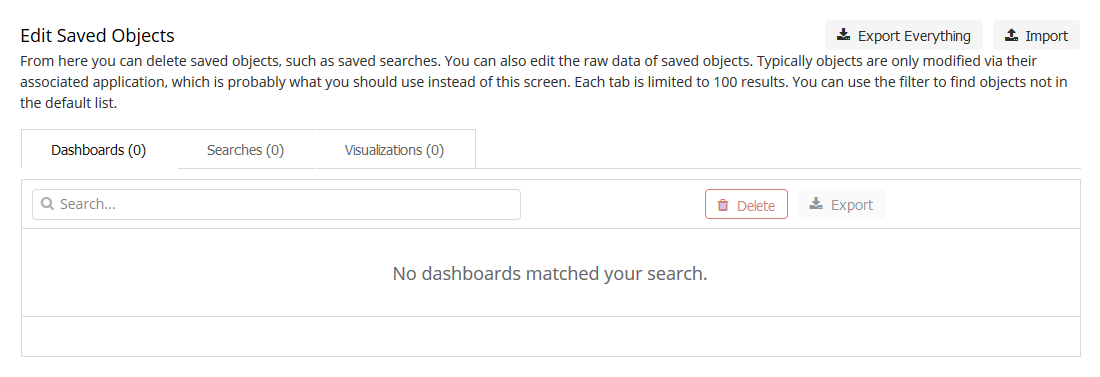
Once the index patterns have been created, you can import the dashboards.
Download (right click the link and click save as) kibana_saved_objects.json.
Import kibana_saved_objects.json the Saved Objects tab of the management
page of Kibana.
It will give you the option to overwrite existing saved dashboards or visualizations, which could be used to restore them if you or someone else breaks them, as there are no permissions/access controls in Kibana without the commercial X-Pack.

Kibana will then ask you to match the newly imported objects to your index
patterns. Select dmarc_forensic for the set of forensic objects, and
select dmarc_aggregate for the other saved objects, as shown below.

Records retention
To prevent your indexes from growing too large, or to comply with records retention regulations such as GDPR, you need to use time-based indexes.
Splunk
Starting in version 4.3.0 parsedmarc supports sending aggregate and/or
forensic DMARC data to a Splunk HTTP Event collector (HEC). Simply use the
following command line options, along with --save-aggregate and/or
--save-forensic:
--hec HEC             URL to a Splunk HTTP Event Collector (HEC)
--hec-token HEC_TOKEN
                      The authorization token for a Splunk HTTP Event
                      Collector (HEC)
--hec-index HEC_INDEX
                      The index to use when sending events to the Splunk
                      HTTP Event Collector (HEC)
--hec-skip-certificate-verification
                      Skip certificate verification for Splunk HEC
Note
To maintain CLI backwards compatibility with previous versions of
parsedmarc, if --save-aggregate and/or --save-forensic are used
without the --hec or -E options, -E localhost:9200 is implied.
It is possible to save data in Elasticsearch and Splunk at the same time by
supplying -E and the HEC options, along with --save-aggregate and/or
--save-forensic.
The project repository contains XML files for premade Splunk dashboards for aggregate and forensic DMARC reports.
Copy and paste the contents of each file into a separate Splunk dashboard XML editor.
Warning
Change all occurrences of index="email" in the XML to
match your own index name.
The Splunk dashboards display the same content and layout as the Kibana dashboards, although the Kibana dashboards have slightly easier and more flexible filtering options.
Running parsedmarc as a systemd service
Use systemd to run parsedmarc as a service and process reports as they
arrive.
Create the service configuration file
sudo nano /etc/systemd/system/parsedmarc.service
[Unit]
Description=parsedmarc mailbox watcher
Documentation=https://domainaware.github.io/parsedmarc/
Wants=network-online.target
After=network.target network-online.target elasticsearch.service

[Service]
ExecStart=/usr/local/bin/parsedmarc --watch --silent --save-aggregate --save-forensic -H "outlook.office365.com" -u "dmarc@example.com" -p "FooBar!"
Restart=always
RestartSec=5m

[Install]
WantedBy=multi-user.target
Edit the command line options of parsedmarc in the service’s ExecStart
setting to suit your needs.
Note
Always pass the --watch option to parsedmarc when running it as a
service. Use --silent to only log errors.
Warning
As mentioned earlier, forensic/failure reports contain copies of emails
that failed DMARC, including emails that may be legitimate and contain
sensitive customer or business information. For privacy and/or regulatory
reasons, you may not want to use the --save-forensic flag included in
the example service configuration ExecStart setting, which would save
these samples to Elasticsearch.
Then, enable the service
sudo systemctl daemon-reload
sudo systemctl enable parsedmarc.service
sudo service parsedmarc restart
Note
You must also run the above commands whenever you edit
parsedmarc.service.
Warning
Always restart the service every time you upgrade to a new version ofparsedmarc:
sudo service parsedmarc restart
To check the status of the service, run:
service parsedmarc status
Note
In the event of a crash, systemd will restart the service after 10 minutes, but the service parsedmarc status command will only show the logs for the current process. To vew the logs for previous runs as well as the current process (newest to oldest), run:
journalctl -u parsedmarc.service -r
Using the Kibana dashboards
The Kibana DMARC dashboards are a human-friendly way to understand the results from incoming DMARC reports.
Note
The default dashboard is DMARC Summary. To switch between dashboards, click on the Dashboard link in the left side menu of Kibana.
DMARC Summary
As the name suggests, this dashboard is the best place to start reviewing your aggregate DMARC data.
Across the top of the dashboard, three pie charts display the percentage of alignment pass/fail for SPF, DKIM, and DMARC. Clicking on any chart segment will filter for that value.
Note
Messages should not be considered malicious just because they failed to pass DMARC; especially if you have just started collecting data. It may be a legitimate service that needs SPF and DKIM configured correctly.
Start by filtering the results to only show failed DKIM alignment. While DMARC passes if a message passes SPF or DKIM alignment, only DKIM alignment remains valid when a message is forwarded without changing the from address, which is often caused by a mailbox forwarding rule. This is because DKIM signatures are part of the message headers, whereas SPF relies on SMTP session headers.
Underneath the pie charts. you can see graphs of DMARC passage and message disposition over time.
Under the graphs you will find the most useful data tables on the dashboard. On the left, there is a list of organizations that are sending you DMARC reports. In the center, there is a list of sending servers grouped by the base domain in their reverse DNS. On the right, there is a list of email from domains, sorted by message volume.
By hovering your mouse over a data table value and using the magnifying glass icons, you can filter on our filter out different values. Start by looking at the Message Sources by Reverse DNS table. Find a sender that you recognize, such as an email marketing service, hover over it, and click on the plus (+) magnifying glass icon, to add a filter that only shows results for that sender. Now, look at the Message From Header table to the right. That shows you the domains that a sender is sending as, which might tell you which brand/business is using a particular service. With that information, you can contact them and have them set up DKIM.
Note
If you have a lot of B2C customers, you may see a high volume of emails as your domains coming from consumer email services, such as Google/Gmail and Yahoo! This occurs when customers have mailbox rules in place that forward emails from an old account to a new account, which is why DKIM authentication is so important, as mentioned earlier. Similar patterns may be observed with businesses who send from reverse DNS addressees of parent, subsidiary, and outdated brands.
Further down the dashboard, you can filter by source country or source IP address.
Tables showing SPF and DKIM alignment details are located under the IP address table.
Note
Previously, the alignment tables were included in a separate dashboard called DMARC Alignment Failures. That dashboard has been consolidated into the DMARC Summary dashboard. To view failures only, use the pie chart.
Any other filters work the same way. You can also add your own custom temporary filters by clicking on Add Filter at the upper right of the page.
DMARC Forensic Samples
The DMARC Forensic Samples dashboard contains information on DMARC forensic reports (also known as failure reports or ruf reports). These reports contain samples of emails that have failed to pass DMARC.
Note
Most recipients do not send forensic/failure/ruf reports at all to avoid privacy leaks. Some recipients (notably Chinese webmail services) will only supply the headers of sample emails. Very few provide the entire email.
DMARC Alignment Guide
DMARC ensures that SPF and DKM authentication mechanisms actually authenticate against the same domain that the end user sees.
A message passes a DMARC check by passing DKIM or SPF, as long as the related indicators are also in alignment.
| DKIM | SPF | |
| Passing | The signature in the DKIM header is validated using a public key that is published as a DNS record of the domain name specified in the signature | The mail server’s IP address is listed in the SPF record of the domain in the SMTP envelope’s mail from header |
| Alignment | The signing domain aligns with the domain in the message’s from header | The domain in the SMTP envelope’s mail from header aligns with the domain in the message’s from header |
What if a sender won’t support DKIM/DMARC?
- Some vendors don’t know about DMARC yet; ask about SPF and DKIM/email authentication.
- Check if they can send through your email relays instead of theirs.
- Do they really need to spoof your domain? Why not use the display name instead?
- Worst case, have that vendor send email as a specific subdomain of
your domain (e.g.
noreply@news.example.com), and then create separate SPF and DMARC records onnews.example.com, and setp=nonein that DMARC record.
Warning
Do not alter the
porspvalues of the DMARC record on the Top-Level Domain (TLD) – that would leave you vulnerable to spoofing of your TLD and/or any subdomain.
API
A Python package for parsing DMARC reports
-
exception
parsedmarc.InvalidAggregateReport[source]¶ Raised when an invalid DMARC aggregate report is encountered
-
exception
parsedmarc.InvalidForensicReport[source]¶ Raised when an invalid DMARC forensic report is encountered
-
parsedmarc.email_results(results, host, mail_from, mail_to, port=0, use_ssl=False, user=None, password=None, subject=None, attachment_filename=None, message=None, ssl_context=None)[source]¶ Emails parsing results as a zip file
Parameters: - results (OrderedDict) – Parsing results
- host – Mail server hostname or IP address
- mail_from – The value of the message from header
- mail_to – A list of addresses to mail to
- port (int) – Port to use
- use_ssl (bool) – Require a SSL connection from the start
- user – An optional username
- password – An optional password
- subject – Overrides the default message subject
- attachment_filename – Override the default attachment filename
- message – Override the default plain text body
- ssl_context – SSL context options
-
parsedmarc.extract_xml(input_)[source]¶ Extracts xml from a zip or gzip file at the given path, file-like object, or bytes.
Parameters: input – A path to a file, a file like object, or bytes Returns: The extracted XML Return type: str
-
parsedmarc.get_dmarc_reports_from_inbox(host=None, user=None, password=None, connection=None, port=None, ssl=True, move_supported=None, reports_folder='INBOX', archive_folder='Archive', delete=False, test=False, nameservers=None, dns_timeout=6.0)[source]¶ Fetches and parses DMARC reports from sn inbox
Parameters: - host – The mail server hostname or IP address
- user – The mail server user
- password – The mail server password
- connection – An IMAPCLient connection to reuse
- port – The mail server port
- ssl (bool) – Use SSL/TLS
- move_supported – Indicate if the IMAP server supports the MOVE command
- if None) ((autodetect) –
- reports_folder – The IMAP folder where reports can be found
- archive_folder – The folder to move processed mail to
- delete (bool) – Delete messages after processing them
- test (bool) – Do not move or delete messages after processing them
- nameservers (list) – A list of DNS nameservers to query
- dns_timeout (float) – Set the DNS query timeout
Returns: Lists of
aggregate_reportsandforensic_reportsReturn type: OrderedDict
-
parsedmarc.get_imap_capabilities(server)[source]¶ Returns a list of an IMAP server’s capabilities
Parameters: server (imapclient.IMAPClient) – An instance of imapclient.IMAPClient Returns (list): A list of capabilities
-
parsedmarc.get_report_zip(results)[source]¶ Creates a zip file of parsed report output
Parameters: results (OrderedDict) – The parsed results Returns: zip file bytes Return type: bytes
-
parsedmarc.parse_aggregate_report_file(_input, nameservers=None, timeout=2.0)[source]¶ Parses a file at the given path, a file-like object. or bytes as a aggregate DMARC report
Parameters: - _input – A path to a file, a file like object, or bytes
- nameservers (list) – A list of one or more nameservers to use
- public DNS resolvers by default) ((Cloudflare's) –
- timeout (float) – Sets the DNS timeout in seconds
Returns: The parsed DMARC aggregate report
Return type: OrderedDict
-
parsedmarc.parse_aggregate_report_xml(xml, nameservers=None, timeout=2.0)[source]¶ Parses a DMARC XML report string and returns a consistent OrderedDict
Parameters: - xml (str) – A string of DMARC aggregate report XML
- nameservers (list) – A list of one or more nameservers to use
- public DNS resolvers by default) ((Cloudflare's) –
- timeout (float) – Sets the DNS timeout in seconds
Returns: The parsed aggregate DMARC report
Return type: OrderedDict
-
parsedmarc.parse_forensic_report(feedback_report, sample, msg_date, nameservers=None, timeout=2.0)[source]¶ Converts a DMARC forensic report and sample to a
OrderedDictParameters: - feedback_report (str) – A message’s feedback report as a string
- sample (str) – The RFC 822 headers or RFC 822 message sample
- msg_date (str) – The message’s date header
- nameservers (list) – A list of one or more nameservers to use
- public DNS resolvers by default) ((Cloudflare's) –
- timeout (float) – Sets the DNS timeout in seconds
Returns: A parsed report and sample
Return type: OrderedDict
-
parsedmarc.parse_report_email(input_, nameservers=None, timeout=2.0)[source]¶ Parses a DMARC report from an email
Parameters: - input – An emailed DMARC report in RFC 822 format, as bytes or a string
- nameservers (list) – A list of one or more nameservers to use
- timeout (float) – Sets the DNS timeout in seconds
Returns: report_type:aggregateorforensicreport: The parsed report
Return type: OrderedDict
-
parsedmarc.parse_report_file(input_, nameservers=None, timeout=2.0)[source]¶ Parses a DMARC aggregate or forensic file at the given path, a file-like object. or bytes
Parameters: - input – A path to a file, a file like object, or bytes
- nameservers (list) – A list of one or more nameservers to use
- public DNS resolvers by default) ((Cloudflare's) –
- timeout (float) – Sets the DNS timeout in seconds
Returns: The parsed DMARC report
Return type: OrderedDict
-
parsedmarc.parsed_aggregate_reports_to_csv(reports)[source]¶ Converts one or more parsed aggregate reports to flat CSV format, including headers
Parameters: reports – A parsed aggregate report or list of parsed aggregate reports Returns: Parsed aggregate report data in flat CSV format, including headers Return type: str
-
parsedmarc.parsed_forensic_reports_to_csv(reports)[source]¶ Converts one or more parsed forensic reports to flat CSV format, including headers
Parameters: reports – A parsed forensic report or list of parsed forensic reports Returns: Parsed forensic report data in flat CSV format, including headers Return type: str
-
parsedmarc.save_output(results, output_directory='output')[source]¶ Save report data in the given directory
Parameters: - results (OrderedDict) – Parsing results
- output_directory – The patch to the directory to save in
-
parsedmarc.watch_inbox(host, username, password, callback, port=None, ssl=True, reports_folder='INBOX', archive_folder='Archive', delete=False, test=False, wait=30, nameservers=None, dns_timeout=6.0)[source]¶ Use an IDLE IMAP connection to parse incoming emails, and pass the results to a callback function
Parameters: - host – The mail server hostname or IP address
- username – The mail server username
- password – The mail server password
- callback – The callback function to receive the parsing results
- port – The mail server port
- ssl (bool) – Use SSL/TLS
- reports_folder – The IMAP folder where reports can be found
- archive_folder – The folder to move processed mail to
- delete (bool) – Delete messages after processing them
- test (bool) – Do not move or delete messages after processing them
- wait (int) – Number of seconds to wait for a IMAP IDLE response
- nameservers (list) – A list of one or more nameservers to use
- public DNS resolvers by default) ((Cloudflare's) –
- dns_timeout (float) – Set the DNS query timeout
parsedmarc.elastic
-
exception
parsedmarc.elastic.AlreadySaved[source]¶ Raised when a report to be saved matches an existing report
-
parsedmarc.elastic.create_indexes(names=None, settings=None)[source]¶ Create Elasticsearch indexes
Parameters: - names (list) – A list of index names
- "dmarc_forensic"] by default (["dmarc_aggregate",) –
- settings (dict) – Index settings
-
parsedmarc.elastic.save_aggregate_report_to_elasticsearch(aggregate_report, index='dmarc_aggregate')[source]¶ Saves a parsed DMARC aggregate report to ElasticSearch
Parameters: - aggregate_report (OrderedDict) – A parsed forensic report
- index (str) – The name of the index to save to
Raises:
-
parsedmarc.elastic.save_forensic_report_to_elasticsearch(forensic_report, index='dmarc_forensic')[source]¶ Saves a parsed DMARC forensic report to ElasticSearch
Parameters: - forensic_report (OrderedDict) – A parsed forensic report
- index (str) – The name of the index to save to
Raises:
-
parsedmarc.elastic.set_hosts(hosts)[source]¶ Sets the Elasticsearch hosts to use
Parameters: hosts – A single hostname or URL, or list of hostnames or URLs
-
class
parsedmarc.splunk.HECClient(url, access_token, index, source='parsedmarc', verify=True)[source]¶ A client for a Splunk HTTP Events Collector (HEC)
Utility functions that might be useful for other projects
-
parsedmarc.utils.convert_outlook_msg(msg_bytes)[source]¶ Uses the
msgconvertPerl utility to convert an Outlook MS file to standard RFC 822 formatParameters: msg_bytes (bytes) – the content of the .msg file Returns: A RFC 822 string
-
parsedmarc.utils.get_base_domain(domain)[source]¶ Gets the base domain name for the given domain
Note
Results are based on a list of public domain suffixes at https://publicsuffix.org/list/public_suffix_list.dat.
This file is saved to the current working directory, where it is used as a cache file for 24 hours.
Parameters: domain (str) – A domain or subdomain Returns: The base domain of the given domain Return type: str
-
parsedmarc.utils.get_filename_safe_string(string)[source]¶ Converts a string to a string that is safe for a filename :param string: A string to make safe for a filename :type string: str
Returns: A string safe for a filename Return type: str
-
parsedmarc.utils.get_ip_address_country(ip_address)[source]¶ Uses the MaxMind Geolite2 Country database to return the ISO code for the country associated with the given IPv4 or IPv6 address
Parameters: ip_address (str) – The IP address to query for Returns: And ISO country code associated with the given IP address Return type: str
-
parsedmarc.utils.get_ip_address_info(ip_address, nameservers=None, timeout=2.0)[source]¶ Returns reverse DNS and country information for the given IP address
Parameters: - ip_address (str) – The IP address to check
- nameservers (list) – A list of one or more nameservers to use
- public DNS resolvers by default) ((Cloudflare's) –
- timeout (float) – Sets the DNS timeout in seconds
Returns: ip_address,reverse_dnsReturn type: OrderedDict
-
parsedmarc.utils.get_reverse_dns(ip_address, nameservers=None, timeout=2.0)[source]¶ Resolves an IP address to a hostname using a reverse DNS query
Parameters: - ip_address (str) – The IP address to resolve
- nameservers (list) – A list of one or more nameservers to use
- public DNS resolvers by default) ((Cloudflare's) –
- timeout (float) – Sets the DNS query timeout in seconds
Returns: The reverse DNS hostname (if any)
Return type: str
-
parsedmarc.utils.human_timestamp_to_datetime(human_timestamp, to_utc=False)[source]¶ Converts a human-readable timestamp into a Python
DateTimeobjectParameters: - human_timestamp (str) – A timestamp string
- to_utc (bool) – Convert the timestamp to UTC
Returns: The converted timestamp
Return type: DateTime
-
parsedmarc.utils.human_timestamp_to_timestamp(human_timestamp)[source]¶ Converts a human-readable timestamp into a into a UNIX timestamp
Parameters: human_timestamp (str) – A timestamp in YYYY-MM-DD HH:MM:SS` format Returns: The converted timestamp Return type: float
-
parsedmarc.utils.is_outlook_msg(content)[source]¶ Checks if the given content is a Outlook msg OLE file
Parameters: content – Content to check Returns: A flag the indicates if a file is a Outlook MSG file Return type: bool
-
parsedmarc.utils.parse_email(data)[source]¶ A simplified email parser
Parameters: data – The RFC 822 message string, or MSG binary Returns (dict): Parsed email data
-
parsedmarc.utils.query_dns(domain, record_type, nameservers=None, timeout=2.0)[source]¶ Queries DNS
Parameters: - domain (str) – The domain or subdomain to query about
- record_type (str) – The record type to query for
- nameservers (list) – A list of one or more nameservers to use
- public DNS resolvers by default) ((Cloudflare's) –
- timeout (float) – Sets the DNS timeout in seconds
Returns: A list of answers
Return type: list
-
parsedmarc.utils.timestamp_to_datetime(timestamp)[source]¶ Converts a UNIX/DMARC timestamp to a Python
DateTimeobjectParameters: timestamp (int) – The timestamp Returns: The converted timestamp as a Python DateTimeobjectReturn type: DateTime
-
parsedmarc.utils.timestamp_to_human(timestamp)[source]¶ Converts a UNIX/DMARC timestamp to a human-readable string
Parameters: timestamp – The timestamp Returns: The converted timestamp in YYYY-MM-DD HH:MM:SSformatReturn type: str